Your custom email for free
I’m no longer sure if I grabbed a domain to host these notes, or I found the domain and I ended up publishing these notes as an excuse to use it.
Naturally, I wanted to use an email address from my own domain. I had previously used Google Workspace for this, but it starts at $72/year per domain.
If you only need an email address, you can get this absolutely for free if you already use Gmail.
We only need to tackle two things: receiving emails sent to that address, and sending emails from that address.
Receiving
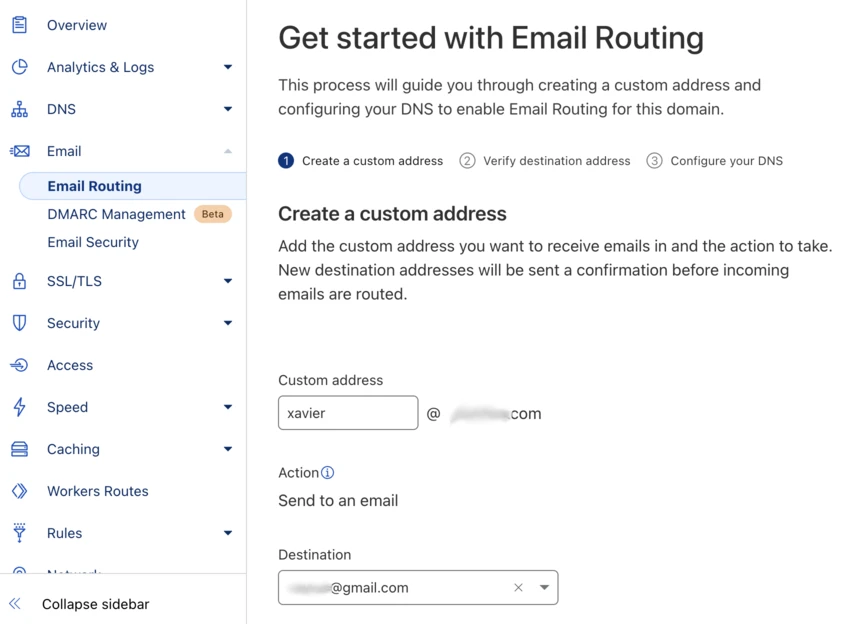
Receiving emails to the address depends on your domain/hosting provider. I have my domain in Cloudflare and it was trivial to use Cloudflare Email Routing to get emails forwarded to my Gmail inbox.
Go to your dashboard, select your domain, click on Email Routing, “Get Started”, and that’s it.
Sending
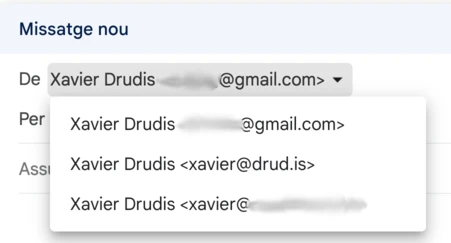
Sending emails from Gmail as coming from your own domain is a bit more involved, but it doesn’t depend on your domain provider. It’s all on Gmail’s side.
First, ensure you have two-factor authentication enabled on Gmail. If you’re reading this, I assume you have this set up already.
Then, create an “App password” through https://myaccount.google.com/apppasswords. You just need to put a name to your application, I picked “Cloudflare” to keep it generic.
Now that you have a password, open your Gmail settings, then “Accounts and Import” (or just go to https://mail.google.com/mail/u/0/#settings/accounts). Go to “Send email as”, “Add another email address”.
A vintage pop-up window will open. Set the “Email address” to your desired email address, and uncheck “Treat as an alias”. Next Step. As SMTP server use smtp.gmail.com, username is your personal gmail address, and then use the App password we just created. Leave the TLS/SSL options as suggested.
This will send an email confirmation to your Gmail. You open it, confirm it, and you’re good to go!